


Banks Power
4.342.00 Reviews
App Specs
- Version
- 3.4.5
- Updated On
- License
- Free
- Downloads
- 10,000+
- Developer
- Banks Power
- Categories
- Auto & Vehicles
- Platform
- Android
Screenshots
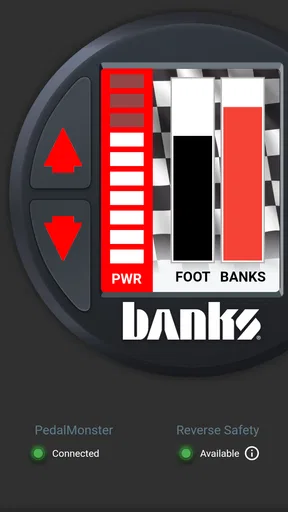
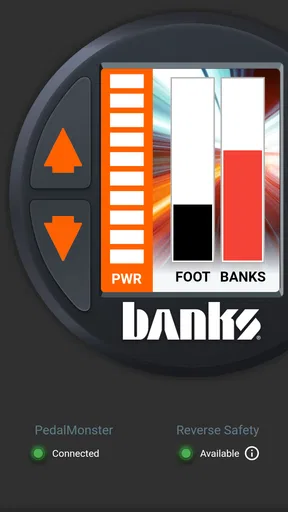
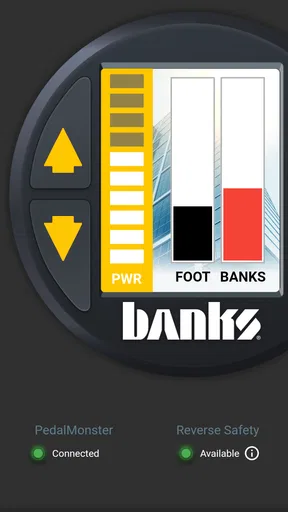
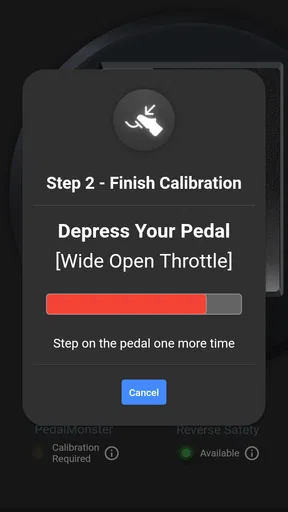
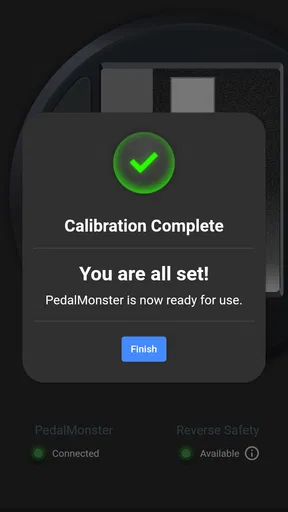
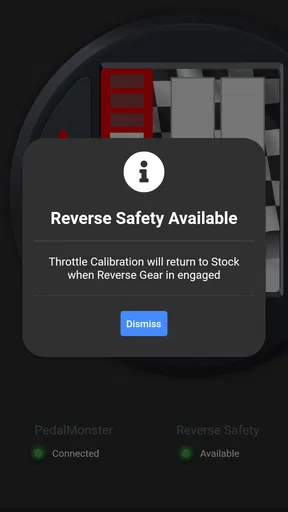
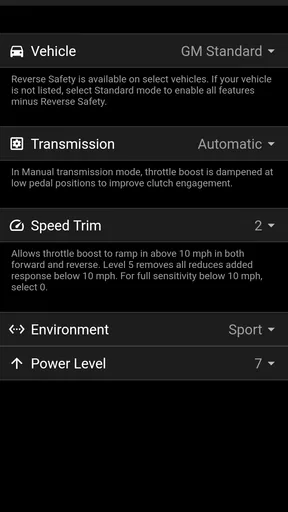
 Analysis by AppCompare
When I look at Banks Power as an Auto & Vehicles app, I see a focused companion rather than a general driving tool. Its purpose is to give owners a more direct way to manage compatible Banks hardware, especially the iDash Pro and PedalMonster. That narrow purpose is also the reason I would recommend it: if your vehicle already uses one of those products, the app can become a practical part of your driving routine; if not, it has very little to offer.
I spent time judging it as the kind of app a driver might open before a trip, after a hardware installation, or when trying to make a vehicle feel more responsive. My overall impression is positive but conditional. The app is free, made by Banks Power, and carries a 4.3 average from around 85 ratings, which matches my sense that it serves its intended audience well without pretending to be a complete vehicle-management platform.
What the app is really useful for
The central strength is control. Instead of treating the iDash Pro and PedalMonster as isolated accessories, the app gives them a software interface that makes adjustments easier to approach. That matters because hardware controls can be inconvenient to reach, difficult to interpret, or simply less comfortable to use while you are preparing the vehicle. A phone-based companion lets you handle those settings from a familiar screen and keeps the experience tied to the equipment you already installed.
I would not describe this as an app for casually browsing vehicle information. It is better understood as a remote control and configuration companion for Banks equipment. That distinction is important. Someone searching for fuel prices, navigation, maintenance reminders, insurance tools, or a broad diagnostic dashboard should look elsewhere. The value here comes from the connection between the app and supported Banks products, not from a long list of unrelated automotive features.
The iDash Pro relationship is especially important for drivers who want a clearer way to interact with their vehicle data and settings. The app gives that device a more approachable control layer, so the phone becomes part of the setup process rather than just another screen in the cabin. I found that useful because it encourages deliberate changes: I can prepare a preferred configuration before driving instead of making rushed adjustments once I am already on the road.
PedalMonster users have a different but equally practical reason to install it. Throttle response is something drivers notice immediately, yet it is also something that can feel very different depending on traffic, load, road surface, and personal preference. A companion app makes it easier to treat that response as an adjustable part of the vehicle rather than a permanent character trait. For daily driving, towing, or simply changing the feel of the accelerator, that flexibility is the main attraction.
A better workflow than repeatedly changing things at random
One of the more useful habits I developed was to make changes in a controlled sequence. I would start with a familiar setting, drive the same kind of route, and only then decide whether the response felt too soft, too eager, or comfortable. This is more helpful than changing several things at once. The app is most valuable when it supports that kind of comparison, because the driver can connect a setting with a real result instead of relying on memory.
Worth Reading Before You Choose

EA SPORTS FC Mobile 26 Is a Bigger Football Game, but It Takes Time

Flipboard Shows What News Apps Must Do Beyond the Feed

Switching to Android Auto Means Rethinking Your Driving Routine

Google Calendar Makes a Crowded Week Easier to Manage

Ludo King Makes the Most of the Minutes Between Plans

Baby Panda World Brings Quick Play to Modern Phones, but Its Game Library Feels Busy
That approach also reveals an important trade-off: more control does not automatically mean a better setting. A sharper response may feel entertaining in open traffic but tiring in stop-and-go conditions. A calmer setup may be less exciting but easier to live with every day. I appreciate that the app makes experimentation convenient, but I would still advise new users to change one preference at a time and evaluate it in ordinary driving rather than judging it only in a quick burst of acceleration.
A realistic example would be a driver who leaves home in a quiet neighborhood, joins a busy commute, and later takes a longer highway trip. The setting that feels lively on an empty road may not be the one that feels smooth during repeated starts and stops. With the app available, that driver can think in terms of situations instead of searching for one supposedly perfect configuration. That is a small but meaningful advantage over a fixed hardware-only experience.
Where the phone interface earns its place
The phone interface is most useful before driving begins. I prefer making adjustments while parked, when I can read the screen properly and think about what I am selecting. That sounds obvious, but it changes how the product feels. Used this way, the app is a preparation tool. Used while moving, it can become a distraction, and no convenience is worth taking attention away from the road.
This is also where the app compares favorably with improvised alternatives. A driver might otherwise rely on a physical control, leave one setting untouched, or make changes only when returning to a garage. The app lowers that friction. It does not replace good installation or sensible driving, but it makes the supported hardware easier to live with across different trips.
I also like the fact that the app keeps the experience centered on Banks equipment rather than forcing the user into a broad, cluttered dashboard. Many automotive apps try to cover navigation, service records, remote commands, trip statistics, and diagnostics in one place. That can be convenient for some drivers, but it can also bury the function they actually need. This app has a clearer job, and its restraint is part of its appeal.
The limitations I would take seriously
The biggest weakness is the same narrow focus that makes the app appealing. Without compatible Banks hardware, installing it is unlikely to change anything about your driving. It is not a substitute for a vehicle manufacturer’s companion app, a professional scan tool, or a general maintenance application. Buyers should decide based on their equipment first, not on the free price or the attractive idea of having more control from a phone.
There is also a learning curve. The app may make control more convenient, but it does not remove the need to understand what a change is intended to do. A new user can easily assume that a more noticeable response is automatically an improvement. In practice, the best choice depends on the vehicle, the road, the driver, and the task. I would have preferred the experience to guide beginners more clearly toward gradual testing and everyday comfort rather than encouraging a settings-first mindset.
Another limitation is that phone-based control introduces another point of dependence. The app needs to be useful at the moment you need it, and the driver needs to remember to prepare settings responsibly. A physical control or a fixed configuration can feel simpler when the goal is just to start the vehicle and go. For someone who dislikes adjusting technology in the car, the extra flexibility may feel like extra work.
I would also avoid treating the app as a replacement for professional diagnosis. If a vehicle develops a mechanical problem, unusual behavior, or a warning that needs proper investigation, changing a companion-app setting is not the right response. The app is a control interface for supported Banks products, not a guarantee that every driving issue can be solved from a phone. That distinction should remain clear, especially for owners who use their vehicles heavily.
Who will get the most from it
The best audience is a Banks customer who already owns compatible equipment and wants the convenience of adjusting it without treating every change as a workshop visit. This includes drivers who care about how their vehicle responds in different situations, owners who regularly switch between ordinary commuting and heavier use, and enthusiasts who enjoy carefully refining the driving experience.
I think it is particularly suitable for people who are willing to observe patterns. If you notice that your preferred response changes between city traffic, open roads, and loaded driving, the app gives you a practical reason to pay attention and make thoughtful adjustments. It is less compelling for someone who installs hardware once and never wants to revisit its behavior.
The app is also a reasonable choice for a technically comfortable driver who wants a more approachable companion than a specialized computer interface. The phone format feels familiar, and the free download removes a financial barrier to trying it. Still, “free” should not be confused with “useful for everyone.” Its value depends on the Banks setup in the vehicle, and the app should be judged as part of that setup rather than as a standalone automotive download.
On the other hand, I would skip it if my main goal were route planning, vehicle location, maintenance scheduling, fuel tracking, or broad fault-code analysis. A manufacturer’s app may be better for ownership records and service-related information, while a dedicated diagnostic tool may be better for technical troubleshooting. Banks Power’s companion is more specialized, and choosing it for the wrong job would lead to disappointment.
Details worth knowing before installing
The app is free and rated for Everyone, so the basic entry point is straightforward. It was released on August 12, 2021, and the current version is 3.4.5. It supports devices running Android 7.0 or later, which makes it accessible to many older Android phones as well as newer models. I would still use a phone that is reliable and easy to read, because a poor screen or an aging device can make any adjustment workflow more frustrating.
Its reach is modest but established, with over 10 thousand installs. That is not the scale of a mainstream navigation or music app, but it makes sense for a specialized companion tied to Banks hardware. The review activity is also relatively focused, with around 42 written reviews, so I would read the overall rating as a useful signal from a specific audience rather than as proof that every driver will have the same experience.
Before relying on it for a trip, I would install it while parked, connect it to the supported equipment, and become familiar with the controls in a low-pressure setting. I would also keep a preferred everyday configuration in mind rather than making a new adjustment every time I drive. That preparation reduces the chance of turning a useful tool into a distraction.
One practical tip is to evaluate changes under comparable conditions. If traffic, cargo, weather, and road type all change at once, it becomes difficult to know whether the setting helped. Another is to give passengers a role in the setup process when possible: let them read the screen while the vehicle is stationary, then leave the phone alone once the trip starts. These habits are not flashy features, but they make the app safer and more useful in real life.
My verdict for Android drivers
After weighing the convenience against the narrow audience, I see Banks Power as a worthwhile companion for the right owner, not a must-have app for every driver. Its strongest argument is simple: it makes compatible Banks hardware easier to control and encourages a more flexible approach to vehicle response. That can be genuinely valuable when the vehicle serves different purposes throughout the week.
Its weaker side is equally clear. The app does not become more useful just because it is free, and it cannot replace broader automotive software or professional equipment. Users need compatible Banks products, a willingness to learn what their adjustments do, and enough discipline to make changes while parked and test them gradually.
For me, the deciding question would be whether I own an iDash Pro or PedalMonster and actually want to adjust it from my phone. If the answer is yes, I would install it and build a calm, repeatable workflow around it. If the answer is no, I would spend my time with a navigation, maintenance, manufacturer, or diagnostic app that matches my real need better.
My recommendation is specific rather than universal: Banks Power is a focused, useful tool for Banks hardware owners who value control, but it is not a general-purpose vehicle app. Its 4.3 average reflects a solid experience for that audience, and my own conclusion is similar: well suited to the equipment it supports, limited outside that ecosystem, and most rewarding when used thoughtfully rather than constantly.
Pros
- Real-time monitoring helps track vehicle performance while driving.
- Supports data logging for reviewing engine behavior after trips.
- Useful gauges make key performance readings easy to understand.
- Can help identify potential issues before they become expensive repairs.
- Designed for drivers who want more control over vehicle tuning.
Cons
- Requires compatible Banks hardware for full functionality.
- Some features may vary depending on the vehicle and installed equipment.
- Advanced readings can be confusing for users without automotive knowledge.
- Continuous monitoring may increase battery usage on supported devices.
- Performance data should not replace professional vehicle diagnostics.
FAQs for Banks Power
What is Banks Power, and what does the app do?
Banks Power is a companion app for Banks Power products and performance equipment, primarily intended for vehicle owners who want to monitor, adjust, or learn more about their engine and related systems. Depending on the compatible device and vehicle setup, it may provide access to gauges, data readings, configuration options, product information, and support resources. Its usefulness depends heavily on having compatible Banks hardware installed.
Is Banks Power compatible with every car or truck?
No. Banks Power is not a universal application for every vehicle. Compatibility can depend on the vehicle’s make, model, engine, year, and the specific Banks product connected to it. Before downloading, check the official compatibility information and confirm that your vehicle and hardware are supported. Some features may also require an additional adapter, tuner, monitor, or another Banks accessory.
Do I need Banks hardware to use the app?
In most cases, the app is designed to work with compatible Banks Power equipment rather than function as a completely independent vehicle-monitoring tool. Without the required hardware, you may have limited access to product information or basic resources, but advanced monitoring and control features may not be available. Review the product requirements carefully before installing or purchasing anything.
Is Banks Power safe to use for engine monitoring and tuning?
Banks Power can be useful for observing vehicle data and managing compatible performance products, but users should operate it responsibly. Incorrect settings, unsuitable tuning, or ignoring warnings can affect drivability, emissions systems, engine reliability, and warranty coverage. Follow the manufacturer’s instructions, avoid changing settings you do not understand, and consult a qualified technician if the app displays abnormal readings or error messages.
Does Banks Power require an internet connection or subscription?
The exact requirements depend on the version of the app and the Banks product being used. Some functions may work through a direct connection to compatible hardware, while downloads, account services, product updates, documentation, or support features may require internet access. Check the current store listing and official Banks Power terms for information about subscriptions, in-app purchases, data usage, and update requirements before downloading.


